Thursday, November 1, 2012
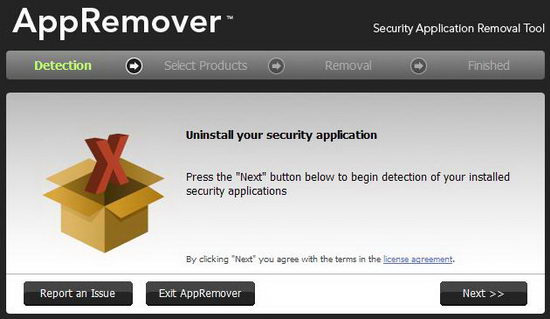
List of anti-malware product removal tools
Anti-malware / Anti-Virus products often are not removed completely or properly when using “Programs and Features” (or “Add/Remove Programs”). It is possible that various services and/or drivers will still be active or installed, and will cause conflicts when another anti-malware product is installed. Therefore, you may have to use the manufacturer’s cleanup or removal tool to insure proper removal before you install Microsoft Security Essentials (MSE), or any other anti-malware product.

Auslogics Disk Defrag Free
Compact and fast defragmenter with over 11,000,000 fans worldwide. It will improve your PC's performance by defragmenting and re-arranging files on your disk.
> Defragments files and free space> Can work silently in the background
> Moves system files to the fastest part of the disk
> Can defrag a single file or folder
> Absolutely free for home and commercial use
Auslogics Disk Defrag Portable: Latest Version: 3.5.0.10
File size: 2.82 MB
OS Support: 8/7/2008/Vista/2003/XP (32-bit & 64-bit)

Auslogics Duplicate File Finder
Helps you to find and remove useless duplicate files, stored on your PC. By using this powerful yet free utility, you can increase free space on your disk by up to 50%.
> Finds identical pictures, documents and any other files> Compares files not only by names, but by their content
> Can significantly increase free space on your disk
> Helps you to organize your media collections
> Reduces time needed to defragment your hard drive

DOWNLOAD : DUPLICATE FILE FINDER
connectify
Connectify Hotspot is an easy to use software router for Windows computers that utilizes your PC’s built in Wi-Fi card to wirelessly share any available Internet connection with friends, co-workers, and mobile devices.


DOWNLOAD : CONNECTIFY
Wednesday, October 17, 2012
Thursday, October 11, 2012

Wednesday, October 10, 2012
ESET SysInspector
ESET SysInspector is a free, state of the art diagnostic tool for Windows NT based systems. It peers into your operating system and captures details such as running processes, registry content, startup items and network connections.
Once a snapshot of the system is made, ESET SysInspector applies heuristics to assign a risk level for each object logged. Its intuitive graphical user interface enables the user to easily slice through the large volume of data using a slider to select objects of a particular color coded risk level for closer examination. ESET SysInspector is a convenient utility for the tool box of every IT expert and first responder.

Once a snapshot of the system is made, ESET SysInspector applies heuristics to assign a risk level for each object logged. Its intuitive graphical user interface enables the user to easily slice through the large volume of data using a slider to select objects of a particular color coded risk level for closer examination. ESET SysInspector is a convenient utility for the tool box of every IT expert and first responder.
DOWNLOAD : SYSINSPECTOR
Subscribe to:
Posts (Atom)